

Table of Contents
UPI has transformed how India handles everyday payments. Regulated by the NPCI and RBI, the system processes transactions in real time and operates at hundreds of millions of merchant points across the country — from five-star hotel restaurants to roadside chai stalls. Until recently, international visitors had no practical way to access it. Mony changes that. Through a partnership with Smart Payment Solutions Private Limited, a PPI-licensed entity, Mony has built the first UPI-enabled payment wallet specifically designed for international tourists visiting India.
What the Mony UPI Wallet Does
The Mony wallet gives international visitors access to India’s UPI payment network without needing a local bank account. You top up the wallet using any international debit or credit card, and the funds convert to Indian Rupees at competitive exchange rates. From that point, you can pay at over 100 million UPI-enabled merchants across India — the same way any local resident would. Any unused balance remaining when you leave the country can be encashed before departure.
How to Set Up Your Mony Wallet — Step by Step
Step 1: Download the App
Search for “Mony UPI Wallet” on the Google Play Store or Apple App Store and install the app on your device. The app is available for both Android and iOS users.
Step 2: Register and Verify Your Account
The registration process asks for your name, email address, and phone number. Your phone number receives an OTP for verification. Once confirmed, the system generates your Virtual Payment Address (VPA) — the unique identifier used for all UPI transactions.
Step 3: Complete Document Verification
To activate the wallet, Mony requires KYC verification. This involves uploading a copy of the front page of your passport and your Indian visa or immigration stamp — both can be submitted directly through the app’s KYC section. A Mony agent then visits your location to verify the original documents in person. Once both the agent and an internal auditor approve the documents, the wallet activates and becomes immediately usable for payments.
Step 4: Add Funds to Your Wallet
With the wallet active, add funds using any major international debit or credit card. The app supports all major card networks. Your currency converts to Indian Rupees at the payment gateway’s current rate. Mony offers competitive conversion rates compared to airport currency exchange counters and most foreign card transaction fees.
Step 5: Start Paying Like a Local
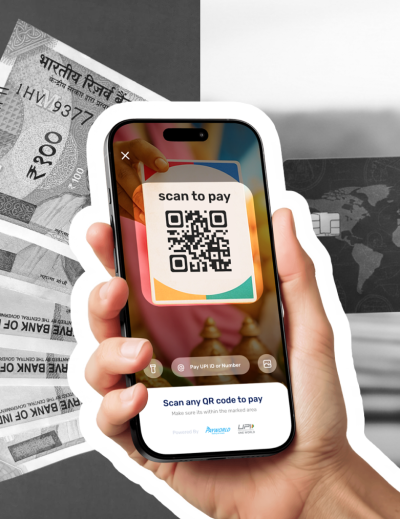
Once funded, the wallet is ready for use across India. Scan any UPI QR code to pay — at markets, restaurants, auto-rickshaws, temples, museums, and anywhere else that displays a UPI payment option. You can also make online payments using your UPI ID. Taking a few minutes to explore the app’s features before your first payment makes subsequent transactions faster and more confident.
Why UPI Payments Matter for Tourists in India
India’s payment ecosystem has shifted decisively toward UPI over the past several years. Many smaller vendors — including street food stalls, local transport operators, market sellers, and temple donation counters — either prefer UPI over cash or accept it exclusively. Foreign credit cards frequently fail at these points, and carrying sufficient cash for a full day of mixed spending is both inconvenient and unnecessary. Mony bridges this gap by giving visitors the same payment access that Indian residents have, with no hidden fees and without requiring a local bank account.
Practical Examples of Where Mony Is Useful
Consider a day that starts with chai at a roadside stall near Chandni Chowk in Delhi (Rs 10 to Rs 20), continues with an auto-rickshaw to Red Fort (Rs 50 to Rs 80), includes entry to the fort (Rs 35 for Indian nationals, Rs 500 for foreign visitors), lunch at a local dhaba (Rs 150 to Rs 300), and ends with shopping at a fabric market where the vendor’s preferred payment is UPI. At every point, a Mony wallet scan completes the transaction in seconds. No currency exchange queue, no declined card, no fumbling for exact change.
Encashing Your Balance Before Departure
Any balance remaining in your Mony wallet at the end of your trip can be encashed before you leave India. The process is handled through the app. This removes the common problem of carrying unspent rupees across borders or exchanging them at unfavourable rates at the airport.










Leave a Reply